
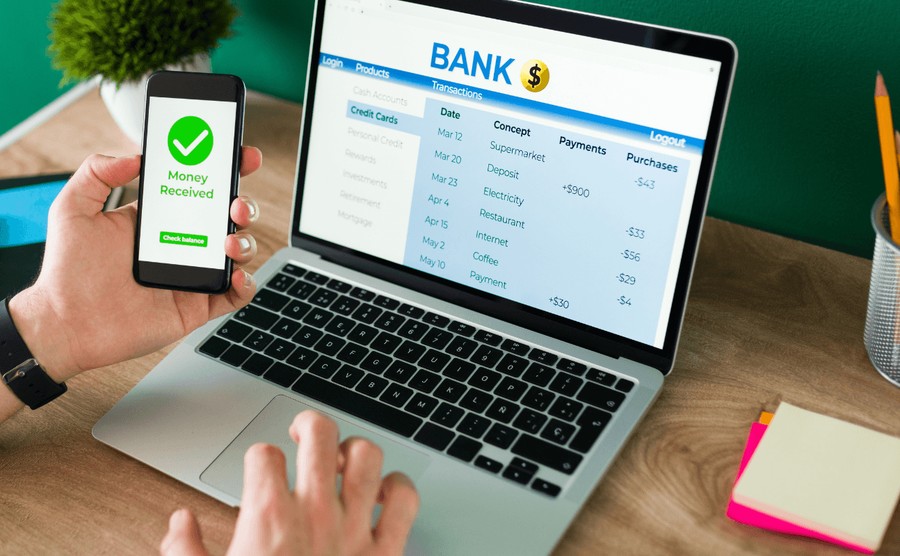
Managing more than one bank account is common for people who prefer to keep their salary, savings and everyday expenses separate. However, switching between banking applications for each payment can make routine transactions less convenient.
The Unified Payments Interface (UPI) allows users to link multiple eligible bank accounts to a supported payment application. This makes it possible to choose different accounts for transfers, merchant payments and other supported transactions.
For example, you may use one bank account for household expenses and another for personal purchases. Linking both accounts to the same payment application can help you manage these payments without repeatedly switching between banking platforms.
This article explains how to link multiple bank accounts, select the right account for each transaction and maintain accurate payment records.
Can You Link Multiple Bank Accounts to UPI?
Yes, UPI supports linking multiple eligible bank accounts to a single payment application, provided the application and participating banks support the feature.
Each bank account must meet the applicable UPI registration requirements. Generally, the mobile number registered with the bank must match the number used for UPI verification.
After linking the accounts, users can select which account to use for supported payments.
Some applications also allow users to choose a primary or default bank account. This account may be selected automatically when initiating certain transactions.
However, account-linking options, receiving-payment settings and default-account features can differ between applications.
Why Manage Multiple Bank Accounts Through UPI?
Using multiple accounts can help people organise their finances according to different spending needs.
Separate Personal and Household Expenses
One bank account can be used for groceries, electricity bills and other household purchases.
A second account can be reserved for personal spending, helping users distinguish between different expense categories.
Keep Savings Separate From Daily Spending
Some people prefer maintaining their savings in a different bank account from the one used for routine transactions.
This arrangement can make it easier to monitor everyday expenses without mixing them with money intended for savings.
Choose an Account Based on Available Balance
Before making a payment, users can select a linked bank account with sufficient funds.
However, linked account balances may not always be displayed automatically, and checking them can require additional authentication.
Maintain Different Payment Records
Using separate accounts for different expenses can simplify bank statement reviews.
For example, recurring household payments can appear in one account statement, while personal purchases appear in another.
How to Add Multiple Bank Accounts to a UPI Application
Linking additional bank accounts usually involves verifying the account associated with your registered mobile number.
Follow these steps to add another eligible account.
Step 1: Open Your Payment Application
Launch the UPI-enabled application installed on your smartphone.
Ensure that your mobile number is verified and your existing UPI account is active.
Step 2: Visit the Bank Account Settings
Navigate to the profile, payment settings or linked bank accounts section.
Look for an option such as Add Bank Account or Link Another Account.
Step 3: Select Your Bank
Choose the bank associated with the account you want to add.
The application may identify eligible accounts linked to your registered mobile number.
Step 4: Complete Account Verification
Follow the application’s verification process.
Depending on your existing setup, you may need to create or reset a UPI PIN for the newly linked account using an available authentication method.
Step 5: Confirm the Linked Account
After verification, check whether the new account appears in your bank account list.
Repeat the process for other eligible accounts you want to manage.
How to Switch Between Linked Bank Accounts
Once multiple accounts are linked, users can select the appropriate account when initiating a payment.
The process generally involves:
- Opening the payment or money transfer section.
- Entering the recipient’s UPI ID or scanning their QR code.
- Reviewing the payment amount and recipient details.
- Selecting the preferred bank account.
- Authorising the transaction using the UPI PIN associated with that account.
- Checking the final payment status.
For example, suppose you have ₹3,000 in your everyday spending account and ₹8,000 in another account.
If you need to pay a ₹4,000 household bill, you can select the second account instead of initiating the transaction from the account with insufficient funds.
Remember that the available balance alone does not determine whether a transaction will succeed. Applicable bank limits, account restrictions and technical conditions can also affect payments.
Setting a Default Bank Account for Everyday Payments
A default bank account is the account selected automatically for certain transactions within a payment application.
Choosing a suitable default account can reduce the need to switch accounts repeatedly.
For example, someone who frequently makes grocery purchases, mobile recharges and transport payments may prefer using their everyday spending account as the default.
To change the default account, open the linked bank accounts section and look for an option to set or change the primary account.
Select the preferred account and confirm the update.
The exact procedure depends on the application. Also, the account used to receive incoming payments may follow separate settings, so users should check those details independently.
Using Multiple Bank Accounts for Recharge and Bill Payments
A phone recharge app that supports UPI payments may allow users to choose among their linked bank accounts when paying for mobile plans or eligible utility bills.
For instance, a user might pay their personal mobile recharge from one account and a family member’s recharge from another.
Before completing either payment, they should check the mobile number, recharge plan, amount and selected funding account.
This helps prevent common mistakes such as using the wrong bank account or recharging an unintended number.
If a payment is unsuccessful, check the transaction status before attempting it again.
Common Issues While Linking or Switching Bank Accounts
Managing multiple accounts is generally straightforward, but some users may encounter problems during account verification or payment processing.
Bank Account Not Appearing
If an eligible account does not appear, check whether your mobile number is registered correctly with the bank.
You should also confirm that the bank account and application support UPI registration.
Unable to Set a UPI PIN
PIN setup may fail because of incorrect verification details, temporary banking issues or unsupported authentication methods.
Follow the instructions provided by the application and use the bank’s official support channels when necessary.
Payment Deducted From the Wrong Account
This can happen when users forget to check the selected account before confirming a transaction.
Review the payment details carefully and verify the account information before entering the PIN.
One Linked Account Is Not Working
Temporary bank restrictions, transaction limits or technical issues may prevent payments from a particular account.
Where appropriate, another linked account may be used after confirming that the original transaction has not been completed.
How to Track Transactions Across Multiple Accounts
When several bank accounts are linked to one payment application, keeping track of transactions becomes particularly important.
Payment history may show which account was used for each transfer. However, the information available depends on the application’s features.
For more complete records, review the statements of individual linked bank accounts.
A simple monthly review can help you:
- Identify which account was used for each expense.
- Compare incoming and outgoing transactions.
- Monitor recurring deductions.
- Locate unsuccessful or pending payments.
- Recognise unexpected account activity.
It is important to understand that transactions completed through different payment applications may not all appear in one application’s history.
Bank account statements are generally more suitable for checking posted transactions across multiple payment services.
Safety Tips for Managing Multiple UPI Accounts
Linking multiple accounts makes account selection easier, but users should follow appropriate security practices.
Never share the UPI PIN associated with any linked account.
Check the selected account, recipient details and amount before authorising each transaction.
Use a screen lock on your phone and avoid installing payment applications from unknown sources.
If you lose access to your device, promptly contact the relevant banks and take the necessary steps to protect your accounts.
It is also useful to remove linked accounts that you no longer need within an application.
Regularly checking your upi transaction records and bank statements can help identify incorrect deductions and unfamiliar account activity.
Conclusion
Managing multiple bank accounts with UPI allows users to organise payments according to their financial needs without switching between separate banking applications for every transaction.
By linking eligible accounts, selecting a suitable default account and checking payment details before authorisation, users can manage routine expenses more effectively.
Maintaining separate transaction records and reviewing bank statements regularly can also help keep personal, household and savings-related activity organised.
The most important practice is to verify the selected bank account before completing every payment.
Frequently Asked Questions
1. Can I Link Two Bank Accounts to One UPI Application?
Yes. You can generally link multiple eligible bank accounts to a supported UPI application, provided the accounts meet the required registration conditions.
2. Can I Use Different UPI PINs for Different Bank Accounts?
Yes. Each linked bank account can have its own UPI PIN, which is used when authorising eligible transactions from that account.
3. How Do I Change My Default Bank Account in UPI?
Open the linked bank accounts section in your payment application, select the preferred account and use the available option to make it your default.
4. Can I Transfer Money Between My Own Linked Bank Accounts?
Yes. You can generally transfer money between your eligible bank accounts using supported UPI transfer methods, subject to applicable limits and account restrictions.